

Employee Management in Frappe HRMS
A Comprehensive Guide
Introduction
An employee in Frappe HRMS is defined as an individual who works part-time or full-time under an employment contract, with recognized rights and duties within your company. Frappe HRMS provides a robust Employee Master module that captures comprehensive employee information, from demographic details to professional history. As the central hub of HRMS Dubai, the Employee Master connects to every other HR module in the system.
Prerequisites
Before creating an employee record, ensure you have:
- Set up your Company in the system
Creating a New Employee Record
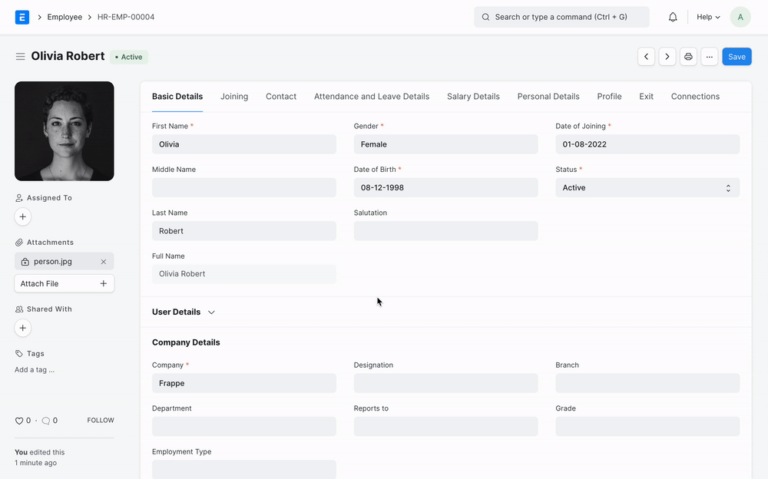
- Navigate to Home > Human Resources > Employee
- Click on “New” in the Employee list
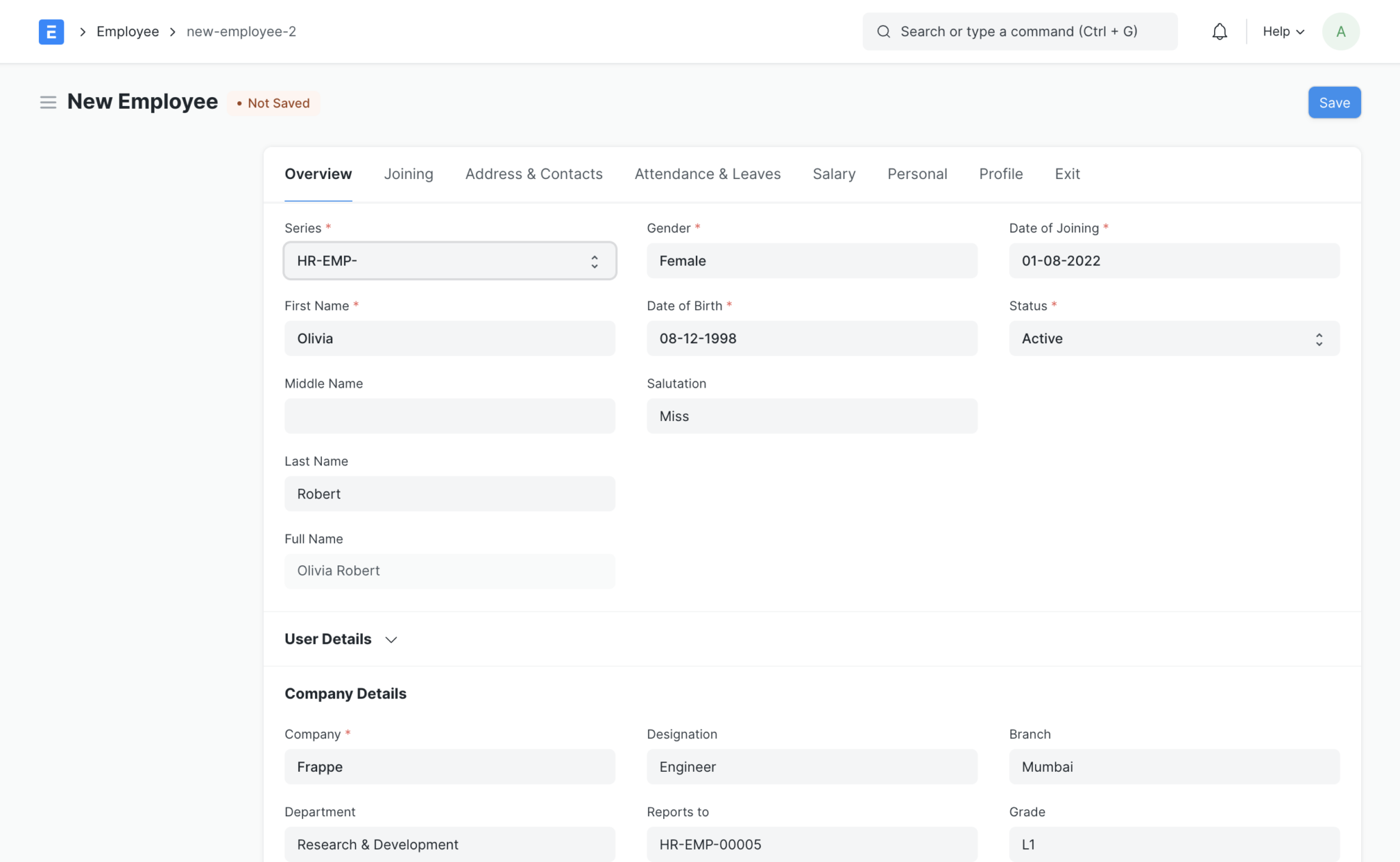
- Enter essential employee information:
- Full Name
- Gender
- Date of Birth
- Date of Joining
- Save the record
Key Features and Capabilities
Employment Information
- Employment Type: Configure various employment categories including Full-time, Part-time, Contract, Intern, and Probation
- User Access Management: Link User IDs and set up user permissions for system access
- Joining Details: Track important dates including:
- Offer Date
- Confirmation Date
- Contract End Date
- Notice Period
- Retirement Date
Organizational Structure
- Department assignment
- Grade classification
- Designation details
- Branch information
- Reporting structure configuration
Leave Management
- Leave Policy assignment
- Holiday List integration
- Comprehensive leave tracking
Compensation
- Salary payment method selection (Bank, Cheque, Cash)
- Payment details management
Contact Information
- Mobile number
- Current and permanent addresses
- Personal and company email addresses
- Preferred communication channel selection
Personal Information Management
- Family background details
- Passport and identification information
- Health records including:
- Physical details
- Allergies
- Medical concerns
Educational Background
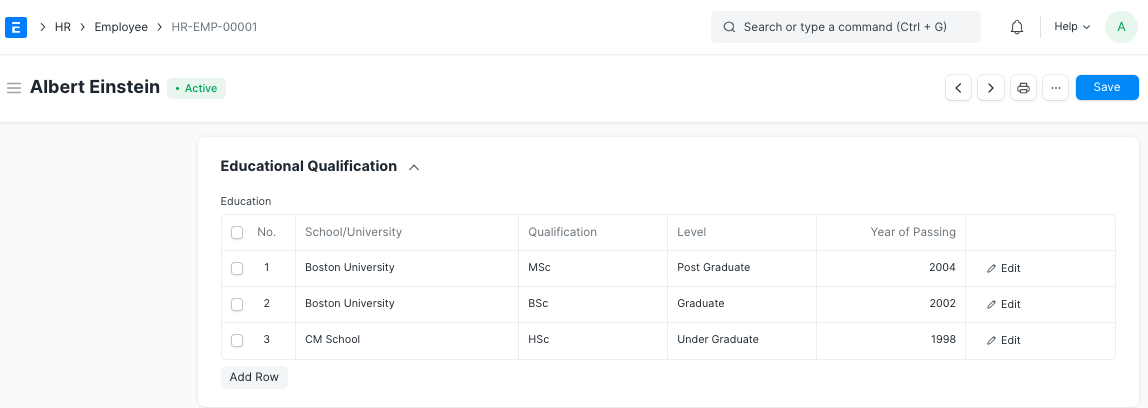
The system maintains detailed educational records including:
- School/University name
- Qualifications
- Education level
- Year of passing
- Class/Percentage
- Subjects studied
Professional Experience
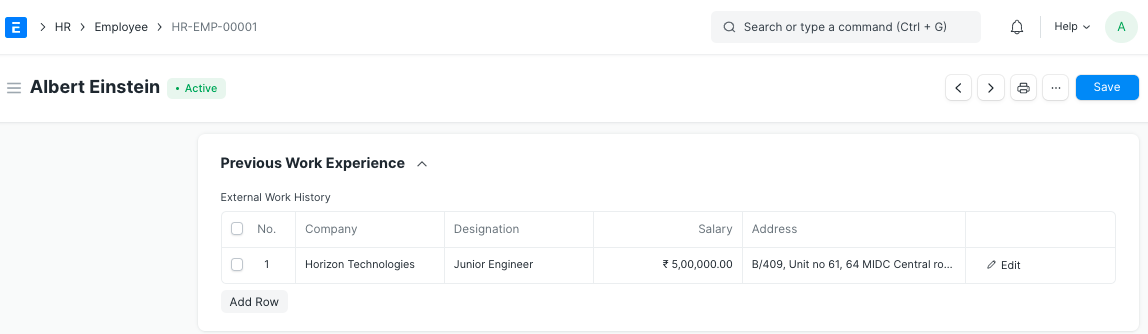
Track previous work experience with details such as:
- Previous employers
- Positions held
- Duration of employment
- Company contact information
- Cumulative experience calculation
Exit Management
When an employee leaves the organization, the system handles:
- Resignation details
- Exit interview documentation
- Leave encashment processing
- Relieving date recording
Note: Once an employee’s status is set to ‘Left’, their record becomes restricted for future transactions.
Emergency Information
- Emergency contact details
- Health insurance information
- Personal biography
- Company history documentation
Additional Notes
- All mandatory fields are clearly marked with red asterisks in the interface
- The system maintains a comprehensive history of changes and updates
- Data can be exported and reported on for analysis and compliance purposes
Related Resources
- HRMS Dubai: Complete Guide to HR Management -- full overview of the HRMS Dubai platform
- Employment Types in Frappe HRMS -- configure the employment categories referenced in employee records
- Employee Group Management in Frappe HRMS -- organize employees into custom groups
- Employee Health Insurance in Frappe HRMS -- manage health insurance details for each employee
- Explore All Frappe HRMS Features
Ready to transform your HR processes? Discover how Employee Management in Frappe HRMS can streamline your workforce. Book a free demo today!